
How to Declutter Your Digital Life for Better Focus
A focus-first take on digital decluttering — cut the inputs that fragment attention (notifications, tabs, folders) and keep the tools that actually support deep work.


22 min read
Overview
Focus collapses not from one big distraction but from dozens of small ones — a notification badge here, an open tab there, a desktop full of files you keep visually scanning. Each one is a tiny context switch. Decluttering the digital environment removes the switches before they happen, and focus returns as a side effect rather than a forced effort.
This article takes a focus-first approach to decluttering your digital life. We cover the notification triage that actually lowers interruption (most alerts are not useful), tab hygiene and browser profiles for different modes of work, closing the dozen menu-bar apps you forgot about, a clean desktop rule, and the single-monitor vs multi-monitor debate honestly handled. Pair with minimalist digital strategies for ongoing minimalism, or the broader declutter your digital life plan.
Understanding Digital Clutter
Defining Digital Clutter
In today’s technology-driven world, the term “digital clutter” refers to the overwhelming presence of unnecessary files, applications, and notifications that accumulate on our devices. This clutter can manifest in various forms, including:
- Unwanted apps: Applications that are rarely used but occupy valuable storage space and mental bandwidth.
- Excessive files: Documents, spreadsheets, and media files that are seldom accessed but remain scattered across devices.
- Overwhelming notifications: Alerts from social media, emails, and apps that disrupt focus and contribute to stress.
Digital clutter is not just a matter of aesthetics; it can significantly impair our ability to focus and be productive. A survey conducted by the organization Network World found that 70% of professionals feel overwhelmed by their digital devices, indicating a widespread issue affecting workplace productivity and mental well-being.
The Psychological Impact of Clutter
The psychological ramifications of digital clutter are profound. Studies have shown that clutter can lead to increased stress, anxiety, and decreased productivity. According to a study published in the Journal of Environmental Psychology, individuals exposed to cluttered environments tend to experience higher levels of cortisol, the stress hormone. This physiological response can impair cognitive functions such as memory and decision-making, ultimately hampering one’s ability to focus on important tasks.
Consider the following insights from recent research:
- A study from the American Psychological Association found that clutter can create a constant sense of background noise that distracts the mind, making it difficult to concentrate on single tasks.
- Research from Stanford University indicates that people who are overwhelmed by clutter are less likely to engage in goal-directed activities, which can lead to procrastination and reduced productivity.
These findings highlight the importance of organizing ones digital space. Implementing minimalist digital strategies can help alleviate stress and enhance focus. By decluttering your digital life, you can create an environment that promotes clarity and concentration.
Strategies to Combat Digital Clutter
To effectively declutter your digital life, consider employing a few organized strategies:
- Assess Your Digital Tools:
- Review the apps on your devices and uninstall those that you do not use regularly.
- Organize files into clearly labeled folders, making it easier to find critical documents without sifting through unnecessary content.
- Limit Notifications:
- Turn off non-essential notifications to reduce distractions. Focus on only receiving alerts for the most crucial communications.
- Use “Do Not Disturb” features during important work hours to maintain a distraction-free environment.
- Schedule Regular Cleanups:
- Set aside time each week or month to review and remove outdated files and apps.
- Create a recurring calendar event to remind yourself to declutter and organize your digital space.
- Utilize Cloud Storage:
- Shift files from local storage to cloud-based solutions like Google Drive or Dropbox. This not only frees up space but also allows for easier organization and access.
- Embrace Minimalism:
- Adopt a minimalist approach to digital tools, focusing on quality over quantity. Only keep the applications and files that truly add value to your life.
Implementing these strategies can lead to a significant improvement in your focus and productivity. By taking control of your digital environment, you can cultivate a sense of clarity and purpose in your daily activities.
Conclusion
The journey toward decluttering your digital life begins with an understanding of what digital clutter is and how it impacts your mental state. By recognizing the psychological effects of clutter and actively working to organize your digital space, you can employ effective techniques to improve your focus. As the world becomes increasingly digital, embracing minimalist digital strategies will not only enhance your productivity but also contribute to a healthier mindset.
For further insights on the effects of digital clutter, you can refer to Harvard’s research on attention and distraction and recent findings from the American Psychological Association on stress and productivity. By embracing these principles, you can create a more streamlined digital life and ultimately enhance your overall well-being.
Assessing Your Digital Space
In the quest to declutter your digital life, the first step is to assess your digital space thoroughly. This involves taking stock of your digital assets and identifying the sources of clutter that hinder your focus. By understanding what you have and where the distractions lie, you can implement effective minimalist digital strategies to improve your focus.
Inventory Your Digital Assets
Conducting a detailed audit of your digital files and applications is crucial. This inventory should encompass all aspects of your digital life, including:
- Files: Documents, images, videos, and audio files stored on your devices or cloud services.
- Applications: Software and mobile apps that you frequently use or have installed but rarely engage with.
- Subscriptions: Online services and newsletters you are subscribed to, from streaming services to email lists.
- Social Media Accounts: Profiles across various platforms that may contribute to your digital footprint.
To streamline this process, consider using a digital decluttering checklist. This checklist can serve as a guide, helping you categorize your assets and determine their relevance. A well-structured checklist might look like this:
| Category | Items to Review |
|---|---|
| Files | Organize by type and relevance |
| Applications | List by frequency of use |
| Subscriptions | Identify unessential services |
| Social Media | Evaluate engagement levels |
Identify Clutter Sources
Once you have a comprehensive inventory, the next step is to recognize which tools and files contribute to distractions and inefficiencies. Here are some common sources of digital clutter:
Unused Applications: Many users download apps that they never use. According to a study by App Annie, users typically abandon 10-30% of apps after the first use. Identifying and removing these can free up space and reduce distractions.
Email Overload: The average office worker receives about 121 emails per day, which can lead to significant distractions. A study from the Harvard Business Review found that employees spend an average of 28% of their workweek managing email. Unsubscribing from newsletters and filtering emails can greatly improve focus.
Social Media Notifications: Constant notifications can disrupt your workflow. Research from The American Psychological Association suggests that the average person checks their phone 96 times a day, which can severely impact concentration. Identify which notifications are essential and mute the rest.
Cloud Storage Chaos: Many people store files in multiple cloud services, leading to disorganization. A report from Gartner indicates that 60% of organizations have multiple cloud services, causing confusion and inefficiency. Consider consolidating files into one or two platforms for easier access.
To effectively identify these sources of clutter, try the following techniques:
Set Aside Time for Reflection: Allocate a specific time to review your digital assets. This could be a weekly or monthly ritual where you assess your usage and relevance.
Use Digital Tools: Utilize apps like Trello or Notion to help organize your assets and tasks visually. These tools can help you prioritize and maintain focus on what’s important.
Engage in Online Minimalism Communities: Join forums or social media groups focused on digital decluttering. Platforms like Reddit have active communities where users share tips and strategies for organizing digital spaces.
As you assess and streamline your digital life, remember that the goal is not just to declutter but to create an organized digital space that enhances your ability to focus. By conducting a thorough audit and identifying sources of clutter, you lay the foundation for better focus techniques that will serve you well in both personal and professional spheres.
In conclusion, taking the time to assess your digital assets and identify clutter sources is crucial for improving your focus. By implementing these strategies, you can cultivate a minimalist digital environment that supports productivity and reduces distractions. For more insights on digital decluttering, check out resources from Wired and The Verge for the latest trends and tools in this area.
Implementing Minimalist Digital Strategies
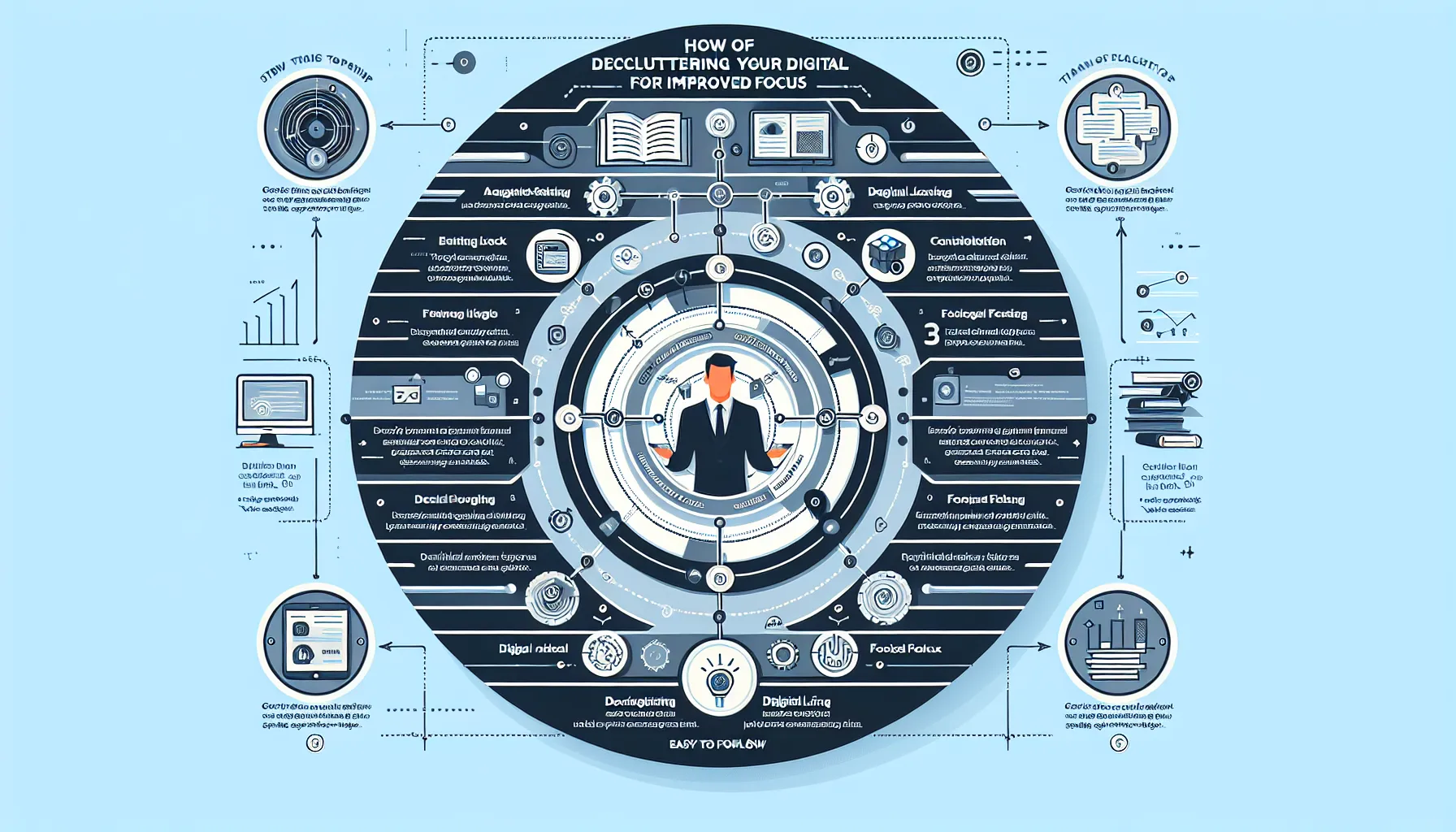
In an age where digital distractions are rampant, adopting minimalist digital strategies can significantly enhance your ability to focus. By consciously streamlining your digital environment, you can declutter your digital life, which in turn fosters better productivity and mental clarity. This section explores practical ways to utilize minimalist tools and create a focus-driven environment.
Adopting Minimalist Tools
Using productivity apps that align with minimalist principles is essential in decluttering your digital life. Minimalist tools are designed to reduce complexity and enhance focus, enabling you to concentrate on the task at hand without unnecessary distractions. Here are some effective minimalist tools to consider:
Todoist: A simple task management app that helps you organize tasks without the clutter of overwhelming features. Its minimalist interface allows you to focus on what you need to accomplish.
Notion: While it can be complex, Notion can be customized to suit minimalist needs. You can create simple databases and to-do lists without extraneous features.
Focus@Will: This app provides specially curated music designed to enhance concentration. It eliminates the need for searching through playlists, thus maintaining a streamlined listening experience.
Forest: A unique app that gamifies the process of staying focused. By planting virtual trees as you work, it discourages you from using your phone and promotes a focus-driven environment.
According to a recent survey by TechCrunch, nearly 75% of users found that using minimalist apps helped reduce distractions, leading to improved focus and productivity.
Creating a Focus-Driven Environment
An organized digital space is crucial for maintaining focus. Here are some effective techniques to create a conducive environment:
- Limit Open Tabs and Applications:
- Research indicates that having too many tabs open can lead to cognitive overload. A study from the University of California revealed that switching between tasks can reduce productivity by as much as 40%. Aim to keep no more than three tabs or applications open simultaneously.
- Utilize the Pomodoro Technique:
- This time management method involves working in focused bursts of 25 minutes followed by a 5-minute break. By breaking work into manageable intervals, you can enhance concentration and prevent burnout. A recent study from the Harvard Business Review found that the Pomodoro Technique can increase productivity by up to 25%.
- Organize Digital Files:
- Create a systematic folder structure that makes it easy to access documents without wasting time searching. Regularly review and delete files that are no longer needed. This ensures your digital workspace remains uncluttered.
- Schedule ‘Digital Detox’ Periods:
- Designating specific times to disconnect from all digital devices can help reset your focus. Whether it’s during meals or an hour before bed, this practice can significantly reduce mental clutter.
- Declutter Email Inbox:
- Use labels, filters, and folders to categorize emails. Aim to maintain an inbox of fewer than 10 emails. A study by McKinsey found that employees spend an average of 28% of their workweek reading and responding to emails. Streamlining your inbox can free up valuable time.
Conclusion
Implementing minimalist digital strategies is a powerful way to declutter your digital life and improve focus techniques. By adopting minimalist tools, limiting distractions, and organizing your digital space, you can create an environment that fosters productivity. The trend towards minimalist digital strategies is not just a passing phase; it is becoming increasingly essential as the digital landscape continues to evolve. Embrace these strategies to enhance your focus and achieve your goals more efficiently.
Organizing Your Digital Life
In today’s fast-paced world, organizing your digital life has become essential for improving focus and productivity. A cluttered digital environment can lead to distractions and hinder your ability to concentrate. By implementing effective strategies for folder structures, file naming conventions, and email management, you can create a streamlined digital space that enhances your focus. This section will explore these aspects, offering practical tips and insights.
Folder Structures and File Naming Conventions
Creating a logical and consistent folder structure is the foundation of an organized digital life. A well-structured digital space allows you to easily locate files, reduces time spent searching, and minimizes frustration. Here are some tips:
Hierarchy Matters: Organize your folders hierarchically. Start with broad categories and drill down to specific subcategories. For example:
Work
Projects
2023
Project A
Project B
Personal
Finances
Travel
Consistent Naming Conventions: Use clear, descriptive names for your files and folders. This practice not only helps in searching but also in identifying content at a glance. For example, instead of naming a document “Report.docx,” use “2023_ProjectA_QuarterlyReport.docx.” This not only provides context but also indicates the time frame and relevance of the document.
Use Tags and Colors: If your operating system supports it, use tags or color codes to categorize files further. For instance, you might use red for urgent projects and green for completed ones.
According to a study published by the Harvard Business Review, individuals who have a structured digital environment report a 25% increase in productivity. This statistic underscores the importance of organizing your digital space effectively.
Managing Emails and Subscriptions
An overloaded inbox can be a significant source of distraction, making email management a crucial element in decluttering your digital life. Here are some strategies to keep your inbox organized:
Unsubscribe from Unnecessary Lists: Regularly review your subscriptions and unsubscribe from newsletters and updates that no longer serve you. This simple action can drastically reduce inbox clutter. Studies show that 30% of people receive unwanted marketing emails, contributing to digital overwhelm. By eliminating these, you can focus on what truly matters.
Implement a Zero Inbox Strategy: The zero inbox strategy encourages you to keep your inbox empty or close to it. Heres how to do it:
- Triaging: Every time you check your email, decide whether to respond, delegate, archive, or delete.
- Schedule Email Time: Rather than checking emails continuously throughout the day, set specific times to review and respond to emails. This practice can enhance focus and reduce the tendency to multitask.
- Use Folders and Filters: Create folders for different types of emails (e.g., work, personal, newsletters) and set up filters to automatically sort incoming messages. This creates an organized system that allows you to prioritize important communications.
A recent report by The Radicati Group indicates that the average office worker receives approximately 121 emails per day. By implementing effective email management techniques, workers can significantly reduce this number, focusing only on essential communications.
Conclusion
Organizing your digital life through effective folder structures, file naming conventions, and email management can dramatically improve your focus and productivity. By adopting minimalist digital strategies, you can eliminate distractions and create a functional digital environment that supports your goals. Start small by restructuring one area of your digital space, and gradually expand your efforts. Remember, a well-organized digital life is a key step towards achieving better focus and overall well-being.

Staying on Track with Maintenance
Maintaining a decluttered digital life is an ongoing process that requires regular attention and strategic planning. Once you’ve successfully organized your digital space, it’s essential to implement effective maintenance techniques to keep it that way. This section will explore practical methods, including setting regular decluttering reminders and utilizing automation tools, to help you maintain your minimalist digital strategies.
Setting Regular Decluttering Reminders
To ensure that your digital organization efforts are not short-lived, it’s crucial to schedule regular check-ins to review and manage your digital space. Here are some tips on how to establish a maintenance routine:
- Choose a Frequency: Depending on the volume of your digital content, decide how often you’ll perform maintenance. Common intervals include weekly, bi-weekly, or monthly.
- Set Calendar Reminders: Use digital calendars (like Google Calendar) to set recurring reminders for decluttering sessions. This will help you stay accountable and make it a part of your regular routine.
- Create a Checklist: Develop a simple checklist to follow during each decluttering session. This could include tasks like:
- Reviewing and archiving old emails
- Deleting unused apps on your devices
- Organizing files into appropriate folders
- Backing up important documents
- Time Blocking: Allocate specific blocks of time for these maintenance tasks. Even 15-30 minutes can be effective if done consistently.
According to recent research, nearly 82% of professionals find that regular digital decluttering significantly improves their productivity and focus, highlighting the importance of making this practice a habit (source: Harvard Business Review).
Using Automation Tools
Leveraging technology to automate aspects of your digital organization can vastly improve efficiency and ensure your digital space remains clutter-free. Here are some tools and methods to consider:
Automated Backup Systems: Tools like Backblaze or Carbonite allow you to automatically back up your files, ensuring that your data is organized without requiring manual effort. This not only declutters your digital space but also provides peace of mind.
File Organization Software: Applications like Hazel for Mac or File Juggler for Windows can automatically sort and organize files into designated folders based on rules you set. For instance, you can create a rule to move all downloaded PDFs into a specific folder, keeping your desktop clean.
Email Management Tools: Consider using tools like Unroll.Me or Clean Email. These applications help you manage subscriptions and declutter your inbox by automatically categorizing or unsubscribing from unwanted emails.
Task Automation: Use automation platforms like Zapier or IFTTT (If This Then That) to link different apps and automate repetitive tasks. For example, you can set up a trigger to save email attachments directly to a specific cloud storage folder.
Incorporating these automation tools not only saves time but also reduces the mental load associated with ongoing organization. A survey from Zapier found that 93% of professionals say automation has positively impacted their productivity, underscoring its significance in maintaining an organized digital life.
Conclusion
Maintaining a decluttered digital life is essential for enhancing focus and productivity. By setting regular decluttering reminders and utilizing automation tools, you can ensure that your digital space remains organized and conducive to your goals. As you adopt these maintenance strategies, remember that consistency is key. By making digital decluttering a regular part of your routine, you can enjoy the benefits of a streamlined, efficient digital environment that supports your focus and overall well-being.
Engaging in these practices not only cultivates a minimalist digital life but also enhances your ability to concentrate on what truly matters. Embrace the freedom that comes with an organized digital space, and watch your productivity soar.
Key Takeaways
In today’s fast-paced digital environment, a decluttered digital life significantly enhances focus and productivity. The insights derived from our exploration of digital decluttering emphasize that simplification is not merely a trend but a fundamental shift in how we interact with technology. By implementing minimalist strategies, such as organizing files, limiting notifications, and curating content consumption, individuals can experience immediate improvements in their ability to concentrate and work efficiently.
At present, the benefits of digital decluttering extend beyond mere organization; they pave the way for sustained wellness in our digital lives. The process encourages a conscious evaluation of what truly adds value to our lives, fostering a mindset that prioritizes quality over quantity. By making small, actionable changeslike setting designated times for email and social media checks or utilizing tools that help manage screen timeindividuals can reclaim their focus and enhance their overall productivity.
Looking towards the future, emerging trends suggest a growing emphasis on digital wellness and simplicity. Experts predict that as the digital landscape continues to evolve, individuals will increasingly seek tools and strategies that promote mental clarity and reduce digital overwhelm. According to Forbes’ insights on digital wellness, there will be a significant push for technologies that encourage users to disconnect and engage in mindful consumption of digital content. This shift indicates a robust market for applications and services that facilitate a minimalist approach to technology usage.
Moreover, as we embrace the rapid technological advancements in artificial intelligence and machine learning, there will be innovative solutions aimed at personalizing digital experiences, allowing for increased focus and reduced distractions. The future will likely bring forth tools that help users curate their digital environments more effectively, aligning with the principles of digital minimalism.
In conclusion, the journey to declutter your digital life is not a one-time task but an ongoing process that holds profound implications for your focus and productivity. Start today by taking small steps toward digital simplicity. Whether it’s unsubscribing from unnecessary emails, organizing your digital files, or setting boundaries for screen time, every action counts. For further reading on strategies to improve digital wellness, consider exploring Digital Wellness Collective’s resources, which provide comprehensive guidance on cultivating a healthier relationship with technology.
Now is the time to embrace a decluttered digital life for a more focused and productive future. Take action now, and witness the transformative power of simplicity in your daily interactions with technology.
Frequently Asked Questions
What are some quick tips to declutter my digital life?
Start by organizing your desktop and file folders; create specific categories for documents. Unsubscribe from unnecessary emails and declutter your inbox. Delete unused apps from your devices, and consider using cloud storage for important files. Regularly review your social media accounts and remove connections that no longer serve you. Finally, set aside time each week to maintain your digital organization to ensure a clutter-free environment.
How often should I review my digital space?
It is advisable to review your digital space at least once a month. This can help you keep track of files, emails, and apps that may have accumulated clutter. Additionally, consider conducting a deeper review every season, or quarterly, to assess your digital tools and resources. By establishing a routine, you can maintain focus and prevent overwhelm in your digital life.
Can digital decluttering improve my mental health?
Yes, digital decluttering can significantly improve your mental health. A cluttered digital space can lead to feelings of stress and anxiety, making it difficult to focus. By organizing your digital life, you create a calmer environment that promotes productivity and reduces distractions. Additionally, a streamlined digital presence can enhance your sense of control, leading to greater overall well-being.
What tools can I use for digital decluttering?
There are several tools available to assist with digital decluttering. File organization software like Evernote or Notion can help you categorize documents effectively. Email management tools such as Clean Email or Unroll.me can streamline your inbox. For managing passwords, consider LastPass or 1Password. Additionally, cloud storage solutions like Google Drive or Dropbox provide a way to store and access files without cluttering your devices.
How can I stay motivated while decluttering my digital life?
Staying motivated during digital decluttering can be achieved by setting clear, achievable goals. Break down the process into smaller tasks, such as organizing one folder or app at a time. Reward yourself after completing each task to maintain enthusiasm. Additionally, remind yourself of the benefits, like improved focus and reduced stress, to keep you engaged. Consider enlisting a friend for accountability and support.
What should I do with old files and emails?
For old files and emails, begin by assessing their relevance. Delete anything that is no longer needed. For important documents that you may need later, consider archiving them in a designated folder or cloud storage. Emails can be sorted into categories, and you can use filters to manage future messages. Regularly reviewing these files and emails will help prevent accumulation and maintain a tidy digital environment.
How does digital clutter impact productivity?
Digital clutter can significantly hinder productivity by creating distractions and making it difficult to find necessary information quickly. A chaotic digital environment can lead to procrastination and overwhelm, which diminishes focus and efficiency. By decluttering your digital space, you promote a more organized workflow, enabling you to concentrate on tasks and enhance your overall productivity.
Are there any benefits to managing my digital subscriptions?
Yes, managing your digital subscriptions can provide several benefits. By reviewing and canceling unused or unnecessary subscriptions, you can save money and reduce digital clutter in your inbox. Streamlining your subscriptions also minimizes distractions, allowing you to focus on content that truly matters. Additionally, it can enhance your sense of control over your digital life, contributing to better mental well-being.